The latest improvements to Timii Task Timer — a calmer, more connected way to plan and time your day.
Timii 5.3.0 · Latest releaseFree for everyone
Google Calendar, now in Timii
Timii reads Google Calendar as well as Apple Calendar. Your events arrive as tasks you can start, and finished sessions can be written back to a calendar you choose.
- Add your Google account on your iPhone
- Your calendars appear in Timii under Settings › Calendar Sync, grouped under the account they belong to
- Choose which calendars come in, and which one finished sessions go back to
- Timii never changes or deletes your calendar events
Timii 5.2.0Free for everyone
Calendar Sync and Distraction Free
The two features worth paying for are free in Timii — no subscription.
- Apple Calendar events flow onto your Timii timeline automatically
- Distraction Free shields the apps that pull you away while a session runs
- Track it all from your wrist with the Apple Watch app

No subscription Made to feel like yours
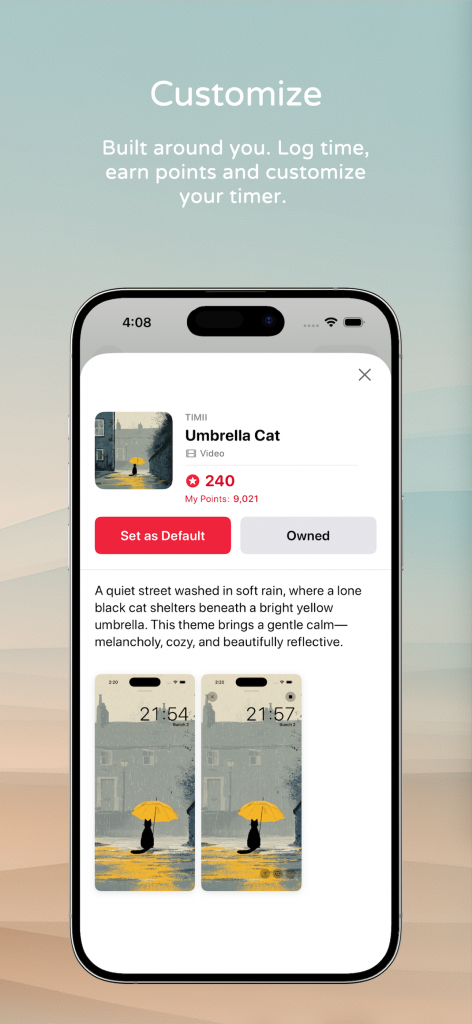
Small touches that make planning your day feel effortless
A handful of thoughtful refinements landed alongside the free features.
- Per-task themes — give each task its own colour so your timeline reads at a glance
- Clearer reports — repeat sessions grouped, small items rolled into one “Other” slice
- One tap moves a task to today — nothing slips through the cracks, and it works for future tasks too
- Log a session by hand and a searchable icon picker that finds what you want instantly
Timii 5.1.0Your whole day, in one glance
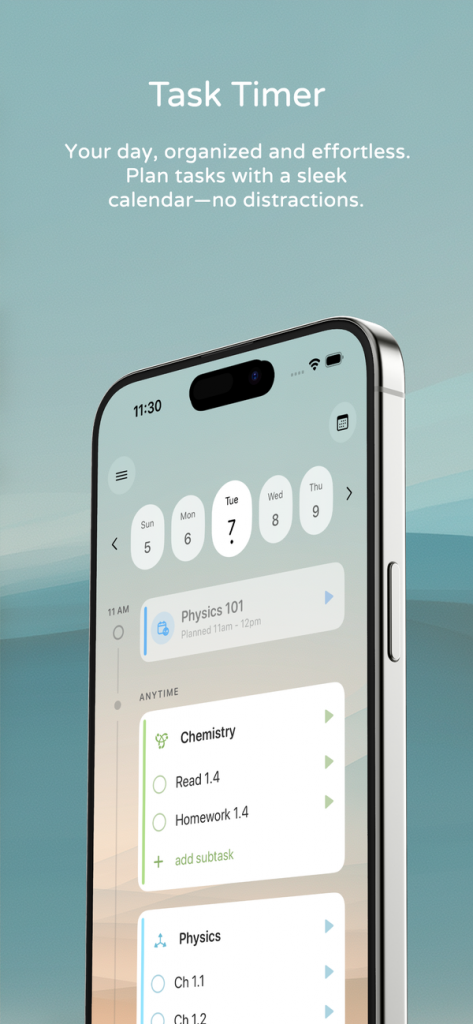
A unified Today timeline
Your whole day now lives on a single vertical timeline — plan and progress in one place.
- Time knots mark each task along a clean timeline spine
- A Running Now knot with a live glow ring and mini-player keeps your active task in view
- Planned-vs-did rows show your intention next to what actually happened
- Native tasks and Apple Calendar events interleave by time, automatically
Timii 5.1.0Focus & timer polish
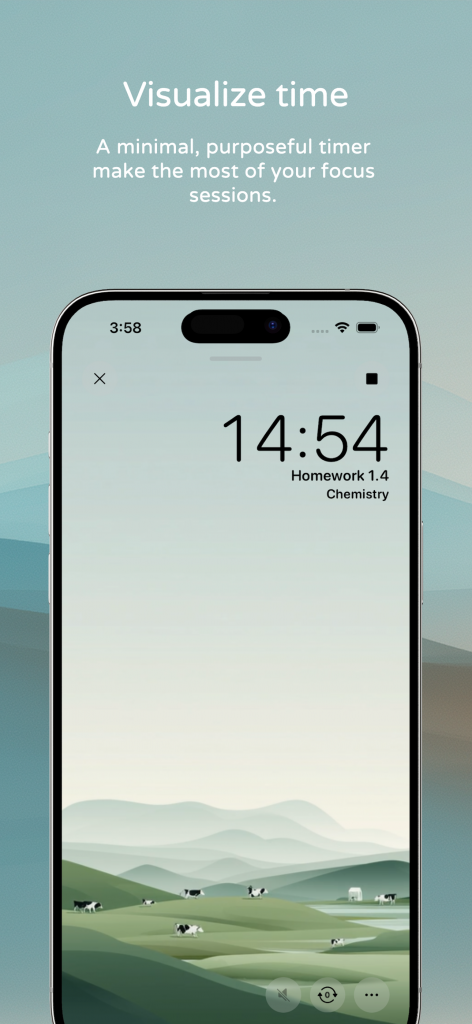
A more rewarding focus session
Small touches that make finishing a task feel good.
- A refreshed done-confirmation card when you complete a running task
- Cleaner mini task-player controls while a timer runs
- A minimal, distraction-free timer that keeps the focus on your work
Get the latest Timii
Update on the App Store to try everything above.